Confidence: know the margin before you commit
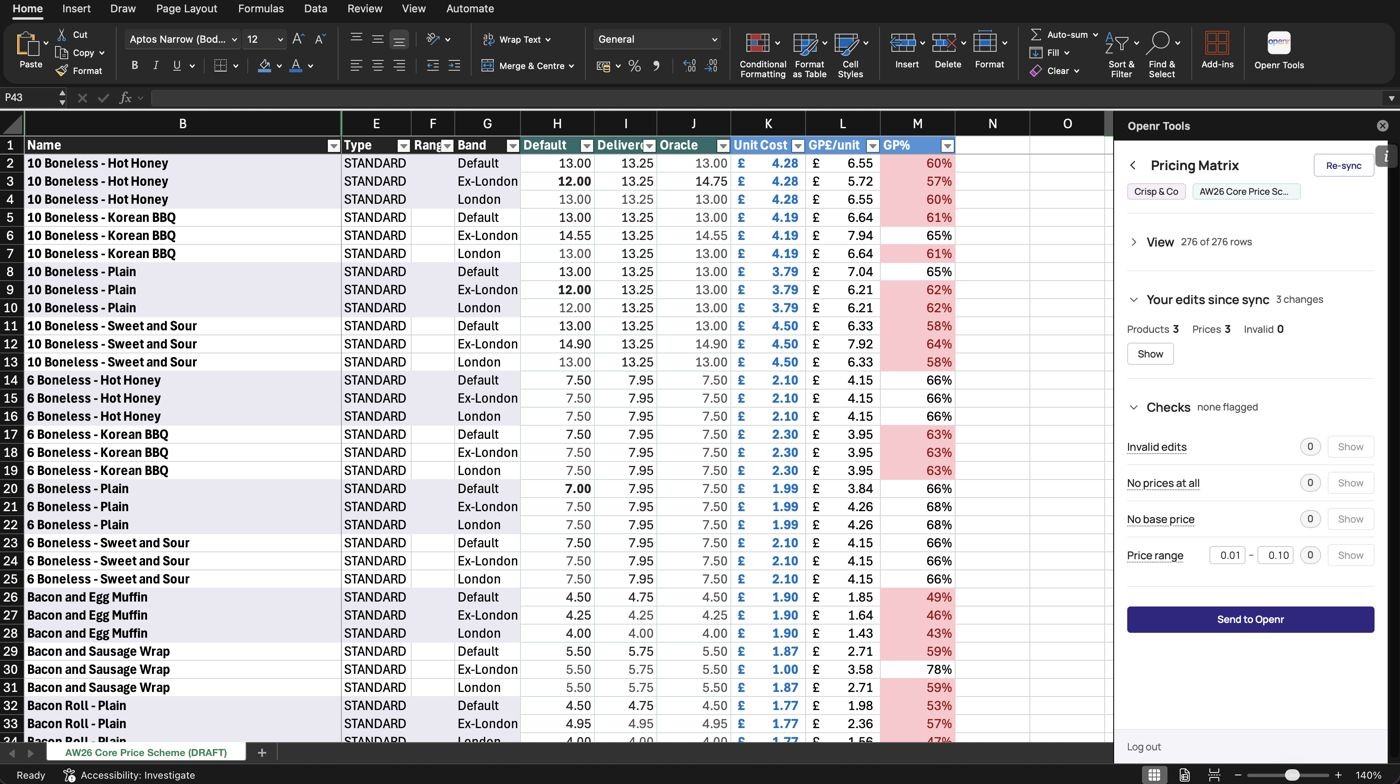
Enter a price and see cash margin and GP% move by item, category and whole menu, before it goes live.
Model a price change on live cost and sales data, see what it does to margin, then publish it to every till and customer-facing ordering channel in one confirmed step. All from the spreadsheet your team already trusts.
The problem
Finance pulls costs from one system and sales from another, signs the model off offline, then someone re-keys every price into the till, delivery platforms and print, and every hand-off is a chance for the numbers to drift.
Before and after
Today
With Openr price modelling
Product demo
Confidence, speed and control
Enter a price and see cash margin and GP% move by item, category and whole menu, before it goes live.
Small cost rises add up between menu cycles, so you can see the drift without rebuilding the model and respond the next day.
Every price in one place. Openr tracks every change, confirms it landed and rolls back instantly. Fewer errors reach the till.
How it works
Customer quote
"My teams can review, check and fix prices in the spreadsheet they already work in, then publish them straight to Openr. I could see the value immediately."
 Lindsay Dunsmuir, CFO, Azzurri Group
Customer result
Checks in Price modelling cut failed publishes at Azzurri and saved the team hours.
Azzurri GroupWhere it fits
Price modelling adds value at every stage of the four stages, from replacing re-keying at Stage 1 to margin modelling at Stage 4.
For IT
Price modelling runs as a Microsoft Excel add-in, deployed through the Microsoft 365 admin centre.
FAQ
Do we have to stop using our own spreadsheets? No. Price modelling works in Excel, in the layout your team already uses.
Where does cost data come from? Openr syncs cost prices from your recipe or procurement system.
What happens if a price is wrong? Openr checks before you publish and lets you roll back in one step.